Placing the asset files
For GeckoLib to be able to find your files, they need to be put in the correct location.
Once the files have been placed, you will use a GeoModel instance in code to reference them.
See the pages on GeoModels for more information
File Locations
Model Files
In GeckoLib5, model files (.geo.json) are placed in the assets/<modid>/geckolib/models/ folder.
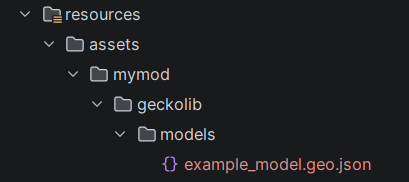
You may use subfolders to organize your models, and some GeckoLib features (such as the DefaultedGeoModel classes) will automatically use subfolders.
The .geo portion of the filename is optional.
Animation Files
In GeckoLib5, animation files (.animation.json) are placed in the assets/<modid>/geckolib/animations/ folder.
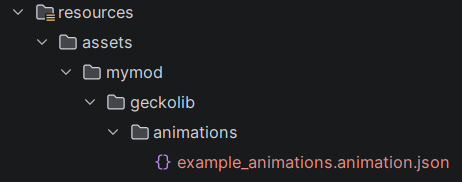
You may use subfolders to organize your animations, and some GeckoLib features (such as the DefaultedGeoModel classes) will automatically use subfolders.
The .animation portion of the filename is optional.
Texture Files
In GeckoLib5, texture files are placed in the assets/<modid>/textures/ folder, like you would for any other texture.
You may use subfolders to organize your textures, and some GeckoLib features (such as the DefaultedGeoModel classes) will automatically use subfolders.