Glowmasks/Emissive Rendering
GeckoLib provides built-in functionality for allowing your animatable objects to have 'fullbright' textures or texture parts. You may also know this as emissive textures or glow textures. This is similar to the functionality that vanilla Spider eyes have – where they glow in the dark.
To do this, GeckoLib implements a GeoRenderLayer called AutoGlowingGeoLayer.
Usage
To use the emissive rendering functionality that GeckoLib provides, you'll need to add an instance of AutoGlowingGeoLayer
to your animatable renderer, in its constructor.
This is similar to how you would normally add render layers to any other renderer.
- Fabric
- Forge
- NeoForge
public class ExampleEntityRenderer extends EntityRenderer<ExampleEntity> {
    public ExampleEntityRenderer(EntityRendererFactory.Context context) {
        super(context, ModEntities.EXAMPLE_ENTITY);

        withRenderLayer(new AutoGlowingGeoLayer(this));
    }
}
public class ExampleEntityRenderer extends EntityRenderer<ExampleEntity> {
    public ExampleEntityRenderer(EntityRendererFactory.Context context) {
        super(context, ModEntities.EXAMPLE_ENTITY.get());

        withRenderLayer(new AutoGlowingGeoLayer(this));
    }
}
public class ExampleEntityRenderer extends EntityRenderer<ExampleEntity> {
    public ExampleEntityRenderer(EntityRendererFactory.Context context) {
        super(context, ModEntities.EXAMPLE_ENTITY.get());

        withRenderLayer(new AutoGlowingGeoLayer(this));
    }
}
Preparing the Texture
GeckoLib uses a special texture file to render the glowing parts of your texture.
To make this texture file, make a duplicate of your base texture file (the one your model normally uses),
then rename it so that it has _glowmask on the end, before the .png
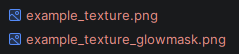
Then, open up the _glowmask.png file you just created, and delete any pixels you don't want to be glowing.
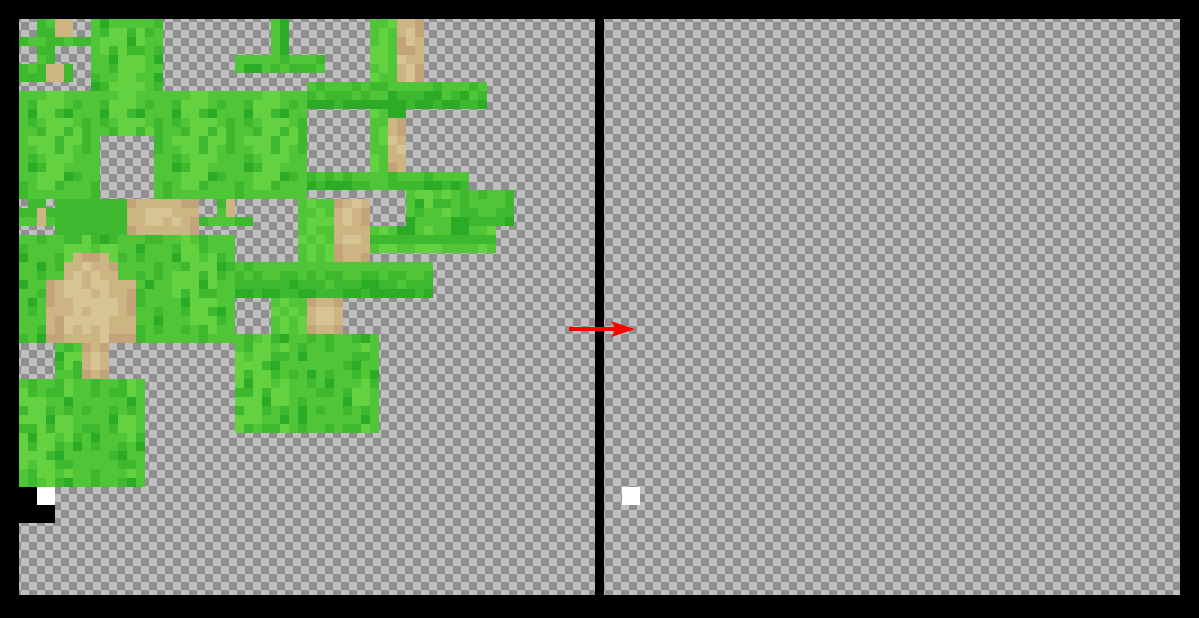
This should leave you with an almost empty texture file, with only the glowing pixels remaining.
For example, in the below texture, we have the base image on the left side, and the glowmask on the right side, where we have deleted all but the white eye, which is the bit we want to glow.
Variants
In GeckoLib5, AutoGlowingGeoLayer comes in two variants.
Both use the same class, but one requires that you override the #shouldRespectWorldLighting method in the layer.
By default, GeckoLib emissive textures are "full-sky" brightness. This is almost absolute brightness. This allows for emissivity with just a touch of respect for face shading to add depth.
Overriding #shouldRespectWorldLighting reduces the brightness slightly, but gives a much greater respect for world lighting,
allowing the emissive shape to blend much more naturally into the environment in respect to nearby world and block light sources.