Finding the Version
Before getting started with setting up your development environment with GeckoLib, you'll need to identify which version of GeckoLib you will be using.
Finding the version
You'll need to visit either Modrinth or CurseForge to find the version you want to use.
- CurseForge
- Modrinth
- Go to the GeckoLib CurseForge Page
- From there, click on the
Filestab
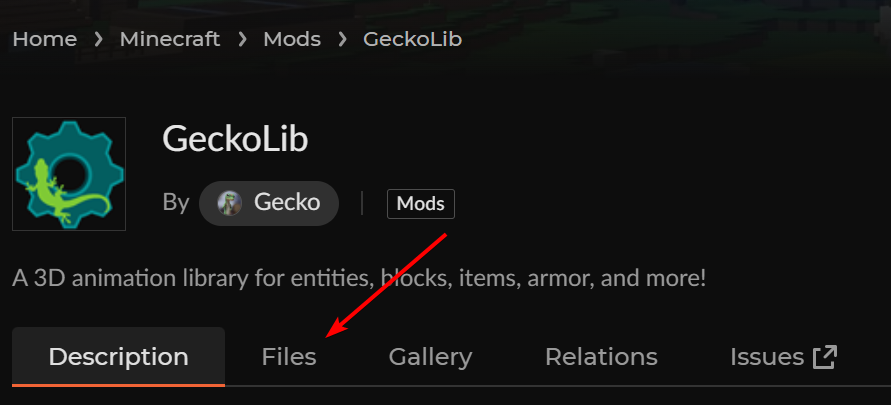
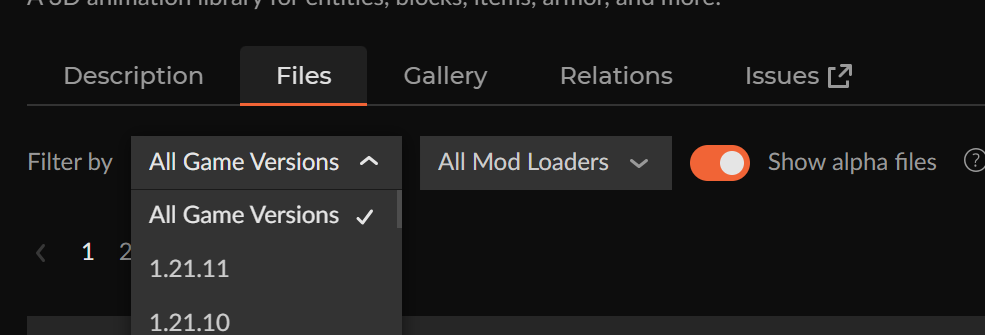
- Filter for the Minecraft version you're using (
1.21.11,26.1, etc.)
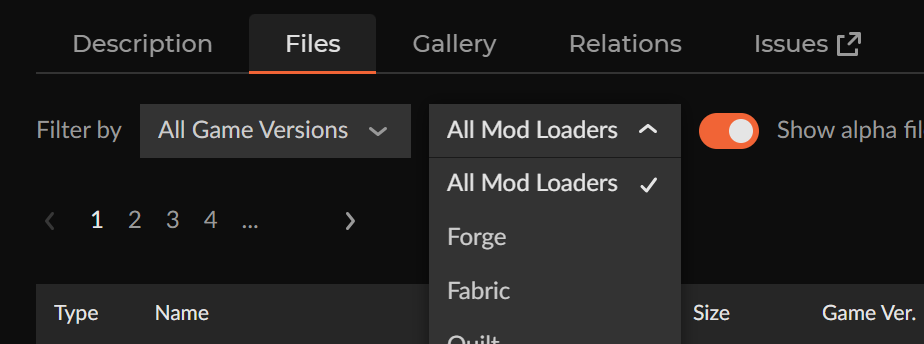
- Filter for the mod loader you want (
Fabric,Forge,NeoForge)
- Note the top entry in the list, which shows the version number you want to use.
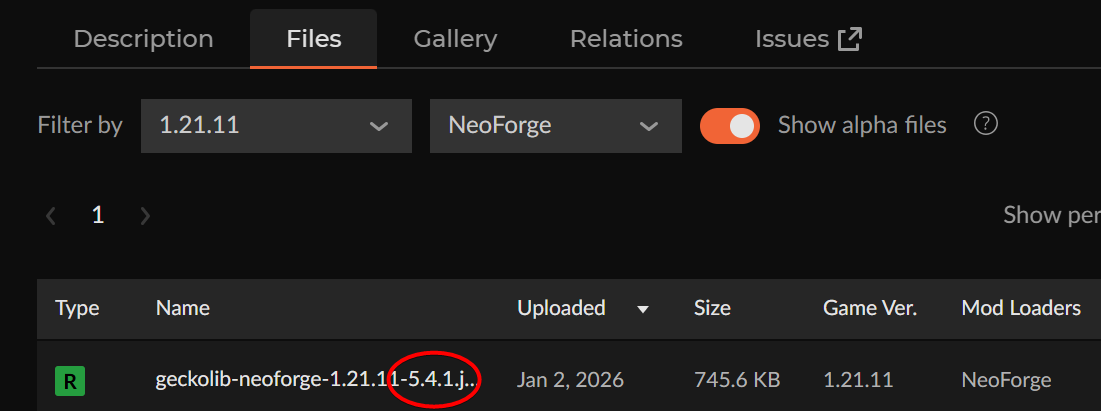
- Note this version number down, you'll need it for the next step
- Go to the GeckoLib Modrinth Page
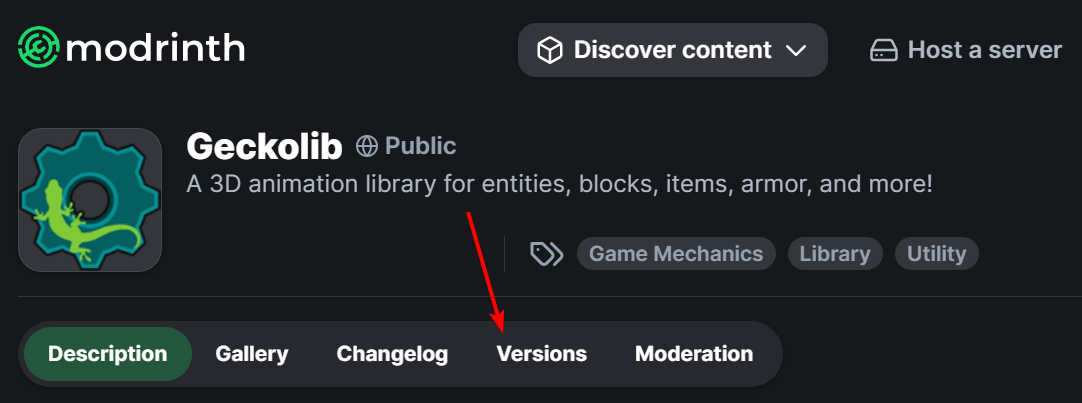
- From there, click on the
Versionstab
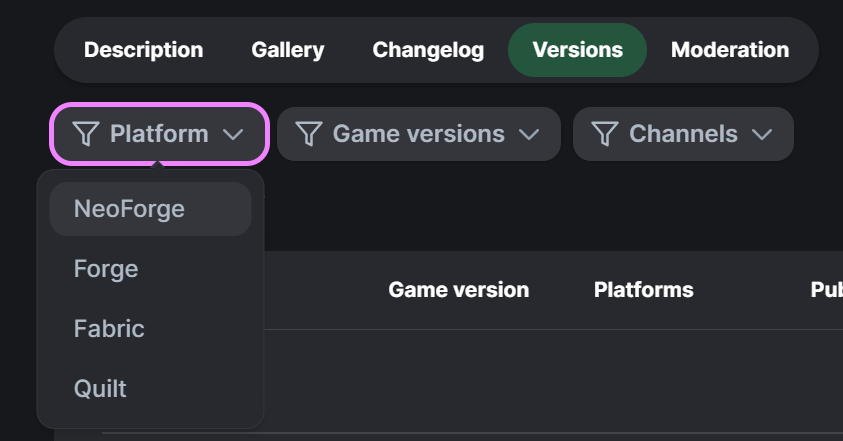
- Filter for the mod loader you want (
Fabric,Forge,NeoForge)
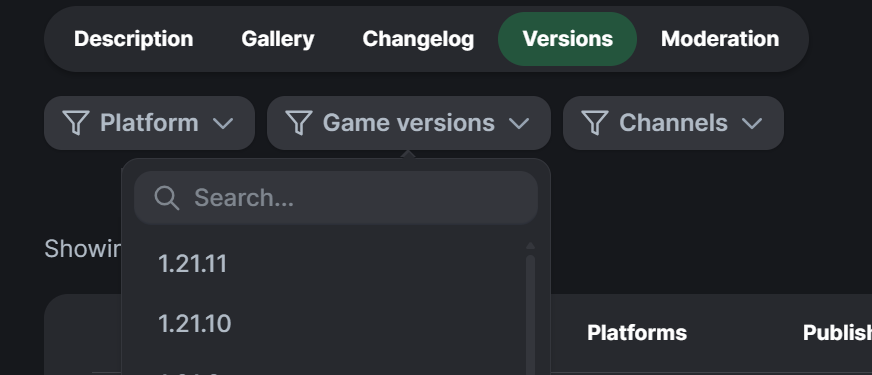
- Filter for the Minecraft version you're using (
1.21.11,26.1, etc.)
- Note the top entry in the list, which shows the version number you want to use.
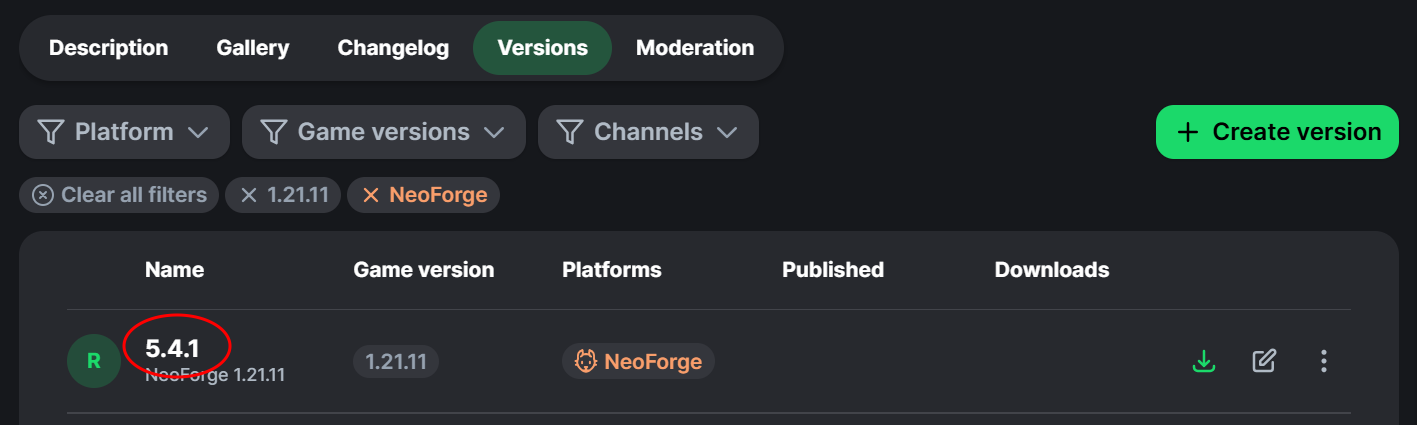
- Note this version number down, you'll need it for the next step