Adding the Dependency
warning
This guide assumes you are using ForgeGradle7. If you are using an older setup of ForgeGradle6, see the Forge Discord for instructions on upgrading to ForgeGradle7.
Once you've added your GeckoLib version reference, and the maven repository, you can add the dependency.
Adding the dependency
- gradle.properties
- libs.versions.toml
- Find the
dependenciesblock in yourbuild.gradlefile. If one doesn't exist, create it. - Inside the
dependenciesblock, add the below dependency line:
- Groovy
- Kotlin
implementation minecraft.dependency("com.geckolib:geckolib-forge-${minecraftVersion}:${geckolibVersion}")
implementation(minecraft.dependency("com.geckolib:geckolib-forge-${minecraftVersion}:${geckolibVersion}"))
- Open your
libs.versions.tomlfile (located in thegradledirectory at the root of your project) - Add a new line in the
[libraries]section with the following content:
geckolib = { group = "com.geckolib", name = "geckolib-forge-26.1", version.ref = "geckolib" }
info
Make sure you change 26.1 to your intended Minecraft version
- In your
build.gradlefile, locate thedependenciesblock. If one doesn't exist, create it. - Inside the
dependenciesblock, add the below dependency line:
- Groovy
- Kotlin
implementation minecraft.dependency(libs.geckolib)
implementation(minecraft.dependency(libs.geckolib))
Finally
Once you're done, refresh Gradle by opening the Gradle tool window and clicking the refresh button.
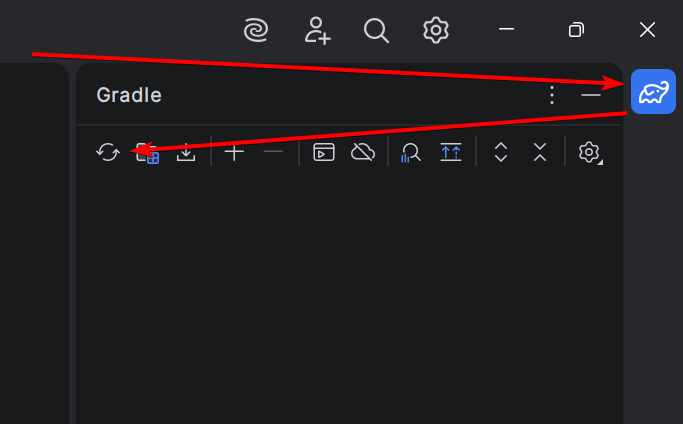
And you should be good to go!