Adding the Dependency
Once you've added your GeckoLib version reference, and the maven repository, you can add the dependency.
Adding the dependency
- gradle.properties
- libs.versions.toml
- Find the
dependenciesblock in yourbuild.gradlefile. If one doesn't exist, create it. - Inside the
dependenciesblock, add the below dependency line:
- Groovy
- Kotlin
modImplementation "com.geckolib:geckolib-fabric-${minecraftVersion}:${geckolibVersion}"
modImplementation("com.geckolib:geckolib-fabric-${minecraftVersion}:${geckolibVersion}")
- Open your
libs.versions.tomlfile (located in thegradledirectory at the root of your project) - Add a new line in the
[libraries]section with the following content:
geckolib = { group = "com.geckolib", name = "geckolib-fabric-26.1", version.ref = "geckolib" }
info
Make sure you change 26.1 to your intended Minecraft version
- In your
build.gradlefile, locate thedependenciesblock. If one doesn't exist, create it. - Inside the
dependenciesblock, add the below dependency line:
- Groovy
- Kotlin
modImplementation libs.geckolib
modImplementation(libs.geckolib)
Finally
Once you're done, refresh Gradle by opening the Gradle tool window and clicking the refresh button.
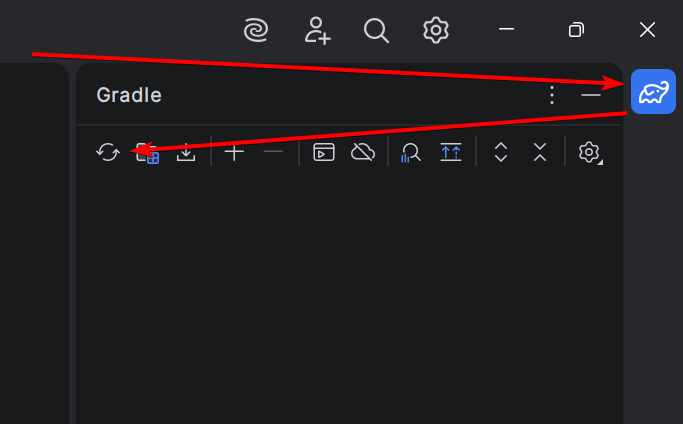
And you should be good to go!